Your Microsoft 365 account can be compromised without your computer breaking, your email stopping or anybody in your business noticing.
In fact, an attacker may prefer it that way.
If they can quietly read your emails, understand how your company operates and wait for the right financial conversation to appear, why would they want to alert you that they are there?
For many modern businesses, Microsoft 365 has become one of their most important business systems. It can contain email, company files, Teams conversations, customer information and access to other applications.
Protecting the laptop is therefore only part of the job.
Someone also needs to be watching the identity behind it.
What does a Microsoft 365 account give an attacker?
Think about what somebody could learn by quietly accessing the mailbox of a Finance Director, Managing Director or Accounts Manager.
They might discover:
- Who your customers and suppliers are
- Which employees deal with payments
- When invoices are normally sent
- Who authorises large transactions
- Upcoming purchases
- Customer contracts
- Confidential attachments
- Internal company conversations
- When senior employees are travelling or unavailable
The attacker does not necessarily need to encrypt anything or display a ransom demand.
Sometimes information is more valuable when its owner does not realise it is being accessed.
The computer can be completely healthy
This is an important distinction.
We naturally associate cybersecurity with protecting computers against viruses, malware and ransomware.
Those threats have not disappeared, but compromising someone’s Microsoft 365 identity can potentially allow an attacker to bypass the computer altogether.
Imagine an employee receives a convincing email asking them to sign into Microsoft 365.
The website looks genuine.
They enter their details.
Depending upon the attack and the security controls in place, the criminal may now have an opportunity to access the user’s cloud account.
Meanwhile, the employee’s laptop could still be working perfectly.
Their antivirus might be completely healthy.
Their email still arrives.
Word and Excel still open.
Nobody submits an IT support ticket because, from the employee’s perspective, nothing is broken.
That is exactly why identity security and proactive Microsoft 365 management have become so important.
The forwarding rule you did not know existed
One particularly interesting technique involves mailbox rules.
Email rules are normally useful. You might create one to automatically move invoices into a folder, for example.
But they can also be abused.
An attacker with access to a mailbox may create rules that forward particular messages elsewhere, move messages into unusual folders or hide communications from the legitimate user.
Imagine a rule designed to identify emails containing words such as:
Invoice. Payment. Bank details.
Those messages could be particularly useful to somebody planning financial fraud.
The frightening part is not how technically sophisticated the rule is.
It is how quietly it can operate.
Your employee may continue using their mailbox every day without realising something else is happening in the background.

What happens when the right invoice arrives?
Now imagine the attacker has been quietly observing an email account.
They know your company.
They know your suppliers.
They understand how people communicate.
Eventually they see a genuine conversation about a significant payment.
Perhaps it is a £25,000 supplier invoice.
This is where a Microsoft 365 compromise can become a financial problem rather than an IT problem.
The attacker may attempt to insert themselves into the conversation, impersonate somebody involved or provide alternative payment details.
The request does not necessarily look like a random phishing email.
It may contain real names.
Real projects.
Real invoice information.
And potentially a genuine conversation the attacker has been watching.
This type of fraud is commonly known as Business Email Compromise (BEC).
By the time somebody notices, the money may already have gone somewhere it should not.
“But we have MFA”
Good.
Multi-factor authentication is an extremely important security control and we strongly recommend it.
But cybersecurity works best in layers.
No single control should become the reason an organisation assumes it cannot be compromised.
Alongside authentication, businesses should consider questions such as:
- From where are employees allowed to sign in?
- Are access policies appropriate for the business?
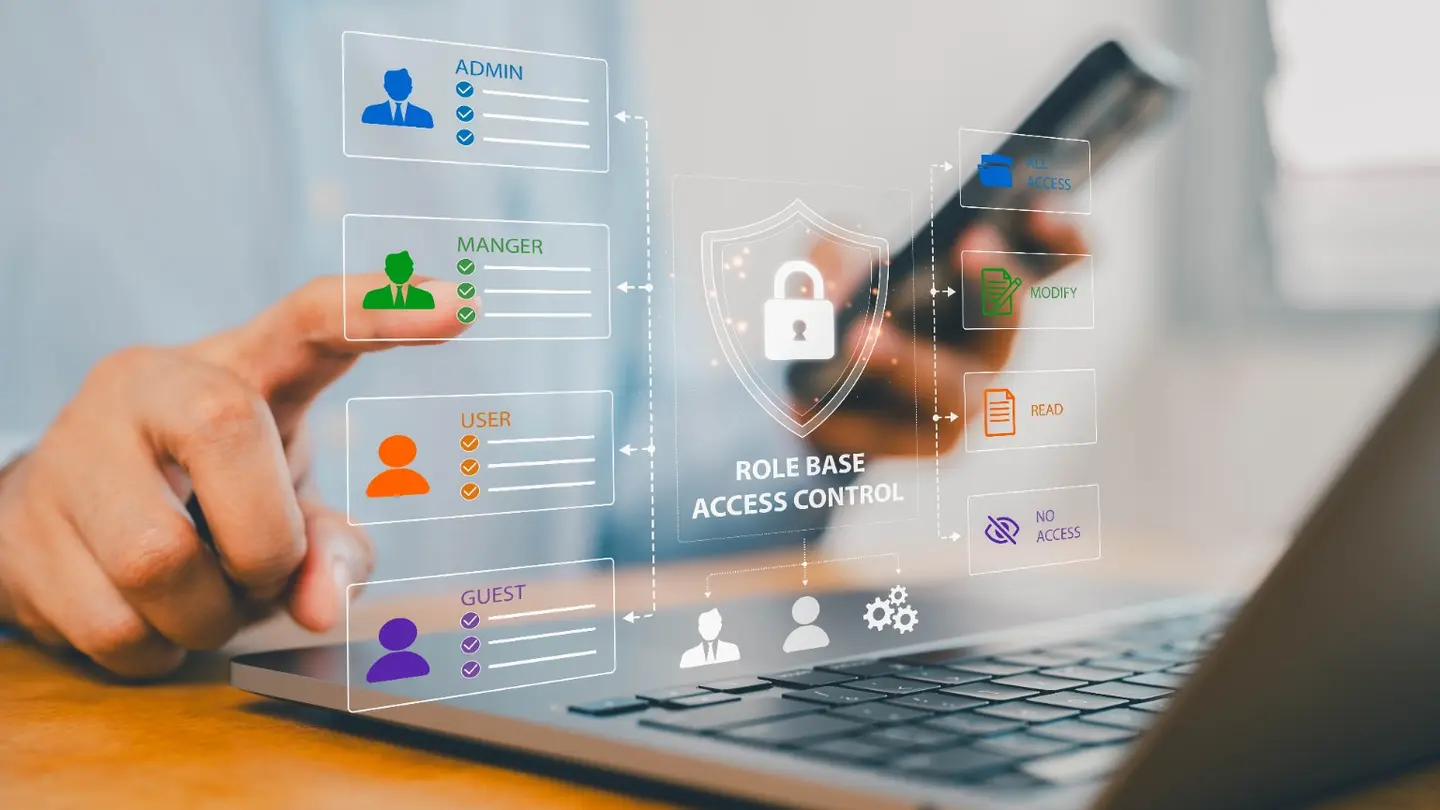
- Which applications have access to Microsoft 365?
- Who can approve new applications?
- How many administrator accounts exist?
- Are old employee accounts still present?
- Are suspicious mailbox rules being identified?
- Are unusual changes investigated?
- Is somebody monitoring Microsoft 365 identities?
- What happens when something suspicious is detected?
The question is not simply:
“Do we have MFA?”
A better question is:
“What protects us if somebody still manages to get in?”
Applications can have access too
Users are not the only identities worth considering.
Modern businesses connect Microsoft 365 to numerous applications.
Some are essential and legitimate.
Others may have been installed years ago, tested briefly and forgotten about.
Depending upon the permissions granted, an application may potentially be able to interact with company information without an employee manually signing in every time.
This creates another important question for the person responsible for IT:
Do you know which applications currently have access to your Microsoft 365 environment?
And perhaps more importantly:
Does your IT provider?
An application should not automatically be considered malicious simply because nobody recognises its name. It needs to be investigated.
But somebody needs to perform that investigation.
What we look for when taking over an IT environment
When Bitwise-IT takes responsibility for a new client’s IT, we do not simply install some software and wait for the first support ticket.
One of the important stages is establishing a known security baseline.
That can include reviewing areas such as:
- Microsoft 365 users
- Administrator accounts and privileges
- Multi-factor authentication
- Access policies
- Old and inactive accounts
- Connected applications
- Mailbox forwarding
- Suspicious inbox rules
- Security configuration
- Devices accessing company information
- Endpoint protection
- Email security
- Backup protection
If we find something unexpected, we investigate it.
Sometimes there is a perfectly legitimate explanation.
Sometimes there is not.
The objective is to reach a point where both Bitwise-IT and the client know what the environment should look like.
Only then can you properly identify something that should not be there.
Finding the problem is only half the job
Security software generates alerts.
That is useful.
But an alert is not the same as an outcome.
Someone still needs to decide:
Is this genuine?
What happened?
Which account or device is affected?
Does anything need isolating?
Should credentials be reset?
Has anything else been changed?
Could company data have been accessed?
What do we need to do next?
This is one reason Bitwise-IT combines Microsoft’s security technology with additional security monitoring and tools such as Huntress within our managed IT and cybersecurity packages.
The objective is not simply to accumulate security products.
It is to improve the likelihood that suspicious activity is identified, investigated and acted upon.
Your IT company should be able to explain who is watching
You do not need to become a cybersecurity specialist to manage the relationship with your IT provider.
You simply need to ask good questions.
Try this one:
“If somebody compromised one of our Microsoft 365 accounts tonight, how would you know?”
Then listen carefully to the answer.
Your provider should be able to explain, in plain English:
- What security controls protect your accounts
- What is being monitored
- What technology generates alerts
- Who sees those alerts
- When they are monitored
- What happens when genuine suspicious activity is discovered
If the answer is simply:
“Microsoft looks after that.”
It is worth asking a few more questions.
Cybersecurity should not depend on somebody noticing something is wrong
This is ultimately the difference between reactive IT support and proactive managed IT.
Reactive support begins when somebody reports a problem.
But an attacker quietly reading an executive’s mailbox is not likely to telephone the helpdesk.
Good managed IT therefore needs to look beyond support tickets.
Computers need managing.
Accounts need protecting.
Security systems need monitoring.
Backups need maintaining.
Configurations need reviewing.
And when something unusual happens, somebody needs to take responsibility for investigating it.
For the business owner or director responsible for IT, the goal is not to understand every technical detail.
It is much simpler than that.
You should be able to ask:
“Who is watching our Microsoft 365 environment?”
And receive a reassuring answer.
Would you know if somebody was already inside?
Bitwise-IT provides managed IT and cybersecurity services to businesses across Essex and beyond.
When we take responsibility for a new environment, one of our priorities is understanding what is already there, identifying anything that should not be, establishing a security baseline and putting appropriate ongoing protection and monitoring in place.
If you are responsible for IT within your organisation but are not completely sure who is monitoring your Microsoft 365 environment, we are happy to have a conversation.
No scare tactics and no obligation. Just a sensible discussion about what you currently have in place and whether anything could be improved.